1
Add the reports
Drop in the month’s files. Each one is read and sorted by platform.
Add the month’s reports from 8 marketplaces. E-com Desk sorts them by platform and builds GSTR-1, table by table.
Free for now. For CA firms, accountants and online sellers.
Works with Miracle
 TallyPrime
Drop in the month’s files. Each one is read and sorted by platform.
Check buyers’ GSTINs, compare TCS, and see where the month’s returns stand.
Save the GSTR-1 JSON for the portal, and import the sales into your books.
Amazon, Flipkart, Meesho, Myntra, Nykaa, AJIO, Snapdeal and LimeRoad reports, sorted by platform. Fetches Meesho’s from the seller panel.
Looks each GSTIN up on the GST portal. A buyer not registered on the sale date moves to B2C.
Fetch the TCS credit with the party’s own login, or upload the report. Differences from each platform show at once.
See whether the month’s GSTR-1 and GSTR-3B are filed, pending or overdue.
Adds the month’s sales outside the platforms from the party’s Miracle books, read on your PC.
Save the GSTR-1 JSON, and import the sales into Miracle by HSN, order or item.
Each marketplace on its own row of Table 14, with its ledger, GSTIN and tax.


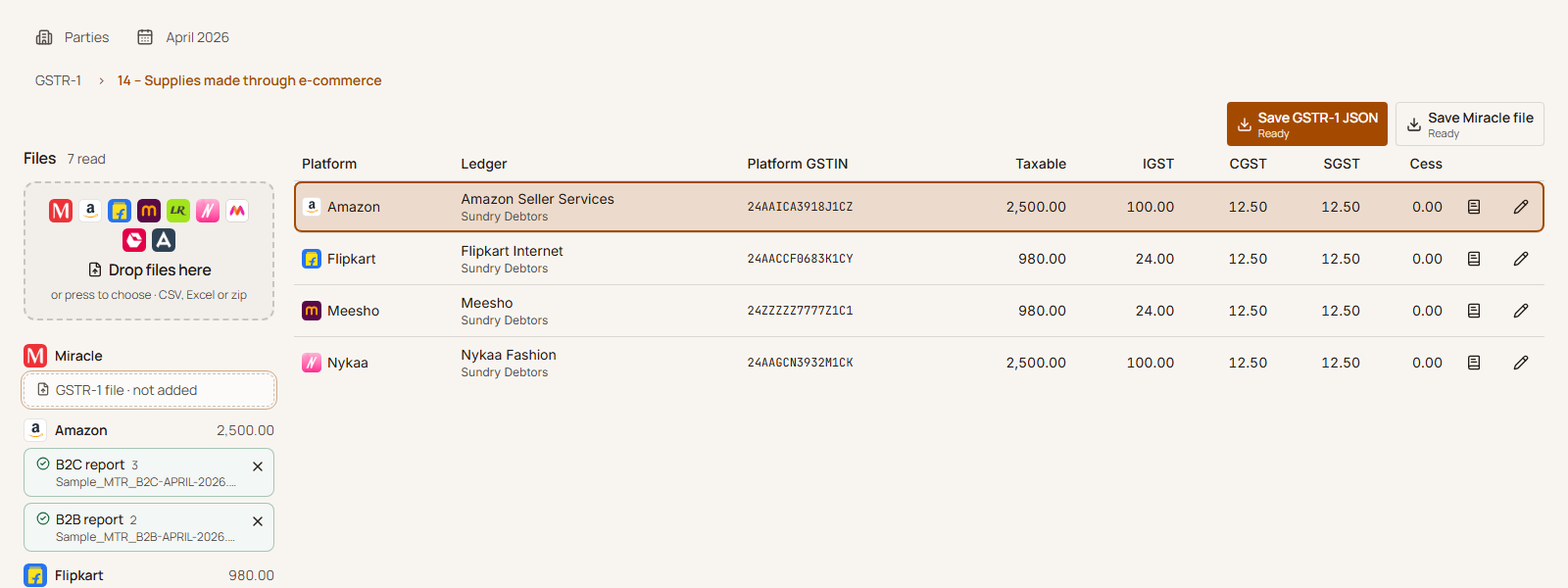
Add the reports. Check the month. Save the JSON.
Windows app. Free for now.
 HDFC Bank





 Punjab National Bank